
 Reefwise
Help
Use messaging
Write to a member or a group, share a dive, an event or a species, choose who can contact you, report and block.
What it is for
Messaging lets you talk with the divers of your club: organise a trip, show a dive, ask for the name of a fish. Conversations are private (two people) or in a group.
Before you start
- A Reefwise account: messaging is not offered in guest mode.
- By default, you can only write, privately or in a group, to someone who shares a club with you: each of you has been accepted there as a member or as a follower, in any season. A pending follow request is not enough.
- There is no automatic “whole club” channel: create a group.
Start a conversation
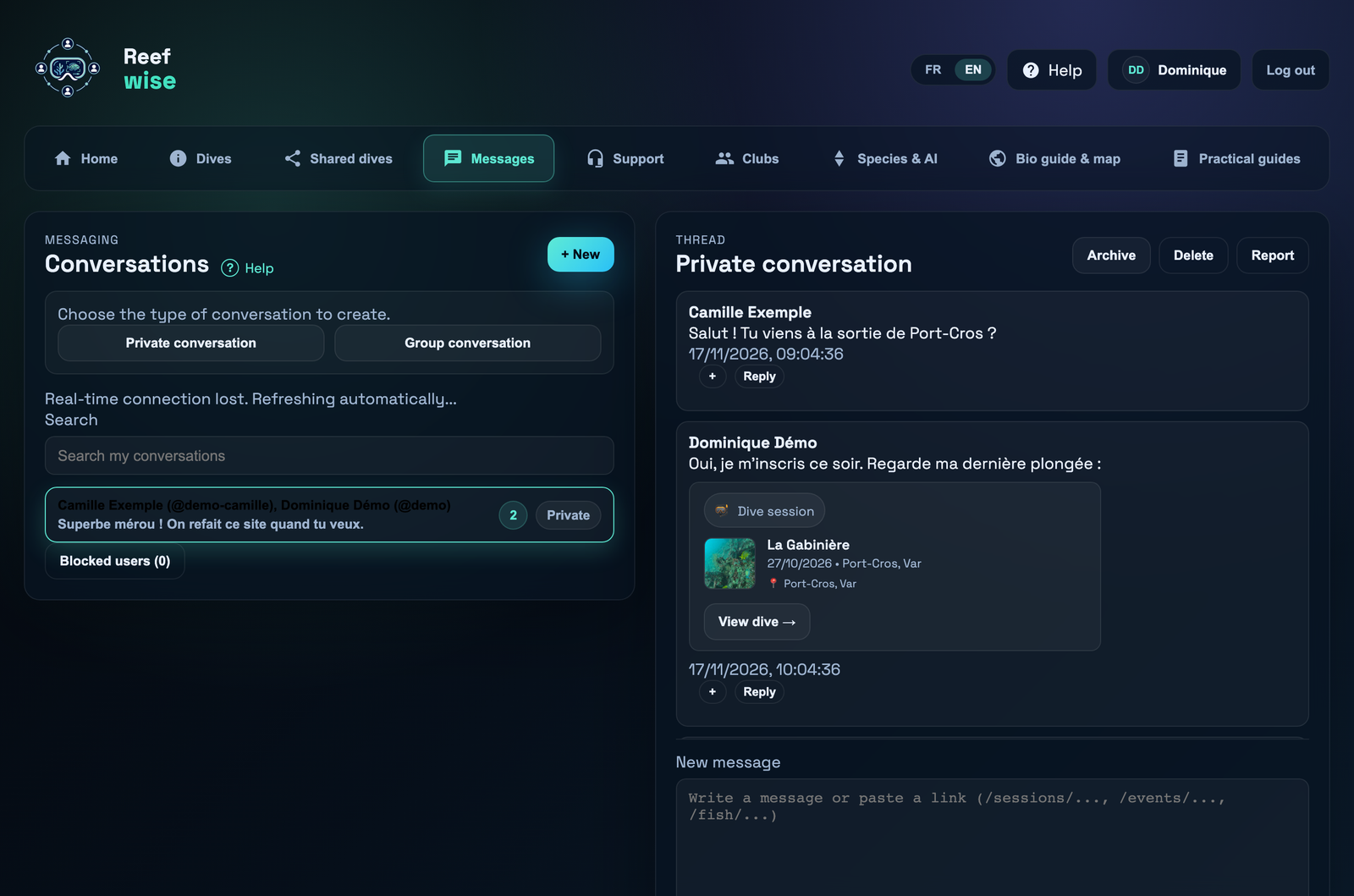
Web space: menu Messages, button + New.
- Choose Private conversation and a Recipient, then Create conversation.
- Or choose Group conversation, give a Subject (for example “Saturday dive trip”), select the Participants, then Create group.
iPhone: the two-bubble icon at the top of the main menu, then the pencil icon, New conversation. Choose Private or Group, the people, then Create.
A private conversation with the same person is always the same one: it is not created twice.
Creating a private or group conversation
Write, reply, react
- Write your message (5,000 characters at most), then Send.
- Reply quotes a specific message; React (iPhone) or Add a reaction (web space) adds an emoji to it.
- Under your messages, “Sent”, “Read”, “Read by everyone” or “Read by 2/5” shows who has seen them.
- Photo attaches an image (JPEG, PNG or WebP, 10 MB max): the Photo button in the web space, the + button then Photo on the iPhone. The position and the other metadata of the photo are removed. Received photos are shown in the conversation; on the iPhone, tap a photo to enlarge it.
- If you send too many messages in a short time, sending is refused for a while: wait, then try again.
Share a dive, an event or a species
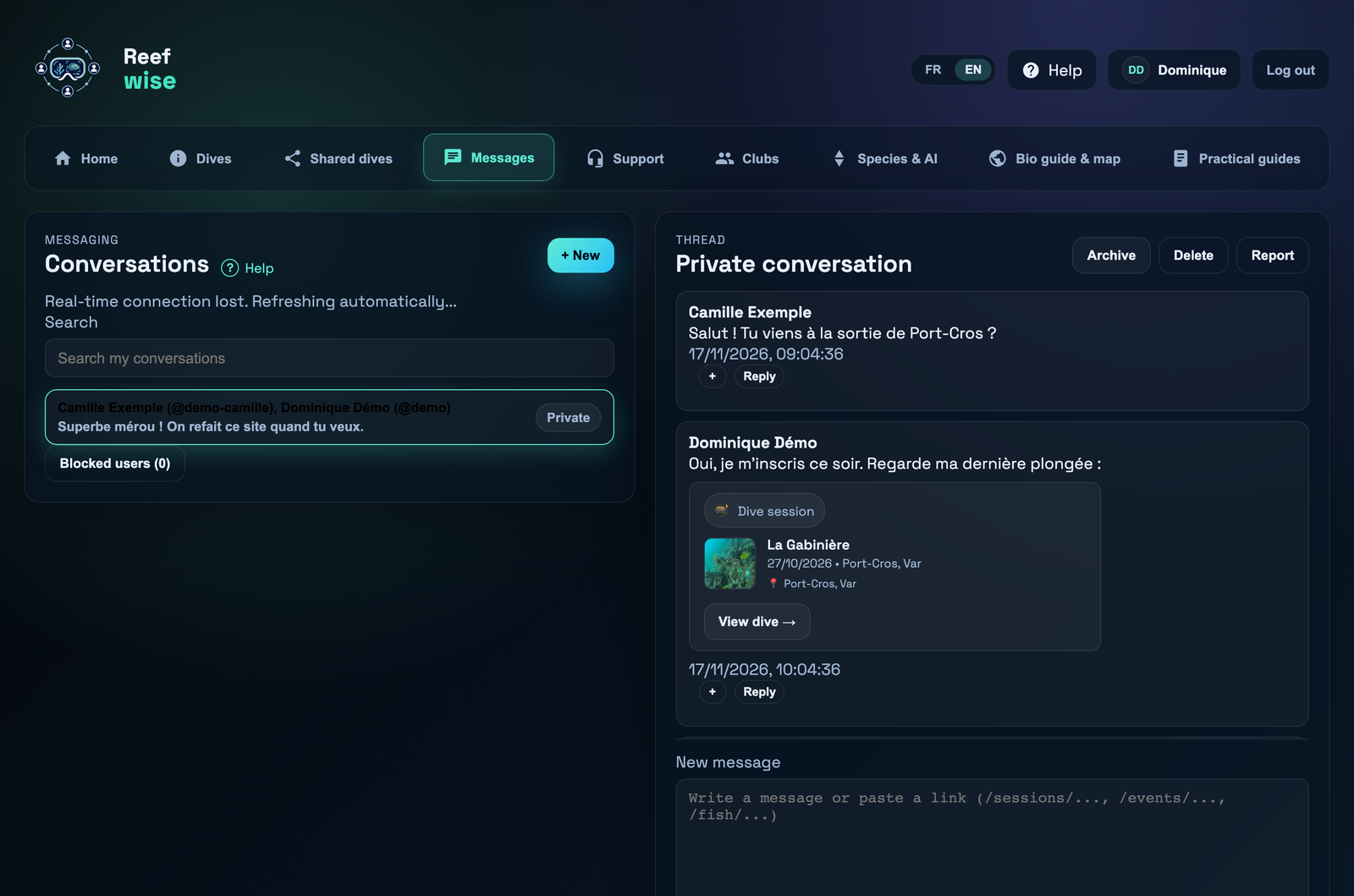
- Web space: button Share..., tab Dive, Event or Species, then Attach preview. You can also paste the link of the page in your message.
- iPhone: button +, Share a dive or an event, then pick from Dives (the dives already sent to your account) or Events (those of your clubs). Write a message or attach a photo to send the card. A link pasted in the message also gets its preview.
- The recipient sees a card with View dive, View event or View species (View on the iPhone).
A card grants no extra right. A private dive is only shown to people who can already see it: a public dive, or one shared with a club that accepted their follow. The card of a private event is shown to the accepted members and followers of its club; opening the event and registering still follow the event rules. If a participant has no access, the share is refused or the link stays without a preview.
Private conversation with the card of a shared dive
Choose who can write to you
In the web space, in the Privacy tab of your account, Contact preference (messaging) offers:
Members of my clubs (the default: accepted members and followers of a club you share), All users or Nobody. This setting also applies to groups: someone can add you to a new group only if they can write to you privately. Only the people you can contact are offered as recipients.
Report or block
- Report a message or a conversation (web space and iPhone): choose a reason. The moderation team receives the message and those just before it. The other participants are not told.
- Block someone: you can no longer write to each other privately. In the groups you share, their messages are hidden by default and you are no longer notified of them. The person is not told.
- Moderation can hide a message, send a warning or suspend the sending of messages. A suspended person can still read their conversations.
Good to know
- A sent message can be neither edited nor deleted.
- Archive hides a conversation for you only until the next message. Delete only erases it, for everyone, once every participant has requested it. In the web space, these buttons are in the conversation; on the iPhone, in the conversation's … menu, or by swiping the conversation to the left in the list.
- New messages are notified on the iPhone. There is no e-mail and no notification in the web space.
- A practical guide cannot be shared as a card: just paste its address.
- Moderation e-mails are in French only.
Going further
To decide who sees your dives: see “Share a dive”.