
 Reefwise
Help
Register for an event and answer a poll
Browse your club's outings, register or join the waitlist, arrange carpooling and answer polls.
What it is for
The club publishes its outings, courses and polls in Reefwise. You register in one gesture, you know where you stand when the event is full, and you can organise the trip.
Before you start
- Be a member of the club for the current season (see “Join a club”).
- If you only follow the club, you see its public events once the club has accepted your follow, without being able to register.
Register on the iPhone
- In the main menu, tap Club events.
- Find the outing: the row shows the location, the date and the number of people registered.
- Tap the register button (it may read “S'inscrire” even in English). For a course, open the event first and choose an Activity that matches your level.
- The Registered badge appears. The app then offers to Add to calendar, to Create a reminder or, from the event detail, to Arrange carpooling.
To cancel, tap Unregister.
Register in the web space
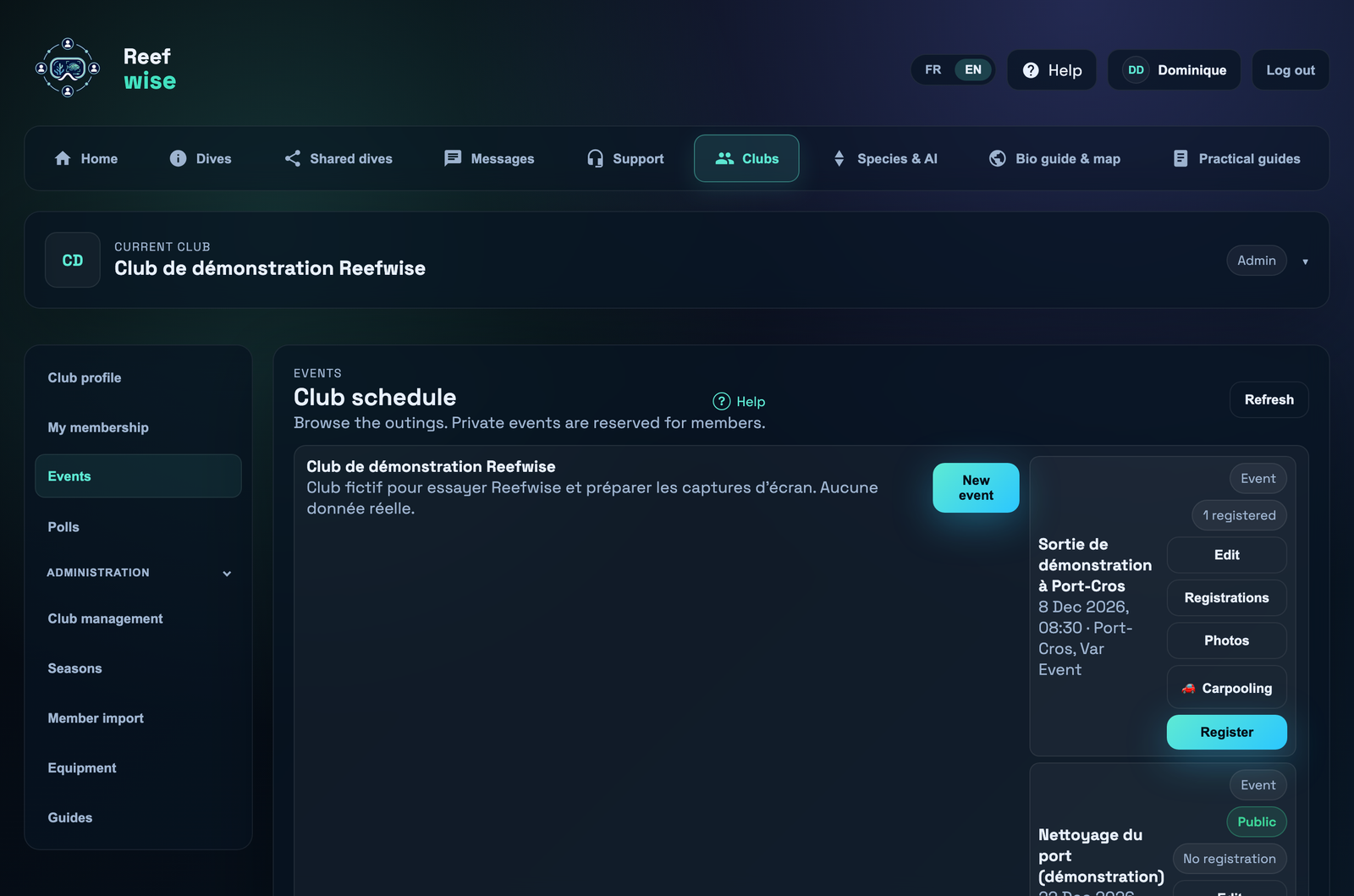
- Open Clubs, pick the club in the Current club switcher at the top of the page, then the Events tab.
- Click Register. The message “Registration saved.” confirms.
- To cancel, click Unregister.
Club schedule with the button to register for an event
If the event is full
The button becomes Join waitlist. Your position is shown (“Waitlist (#2)”). If a seat becomes free, the first person on the list is registered automatically and gets a notification. Leave waitlist removes you from it.
In the web space, the message “You are on the waitlist (position #…).” confirms that you were put on the waitlist.
Organise the trip
From the event detail, Carpooling shows the offered rides and the ride requests.
- Tap + to post a listing.
- Choose Offering a ride or Looking for a ride.
- Give the meeting place, the departure time and the number of seats, then Post listing.
To take a seat in an offered car, tap Book 1 seat.
Answer a poll
- iPhone: menu Club polls, open the poll, answer every question, then tap Send my answers.
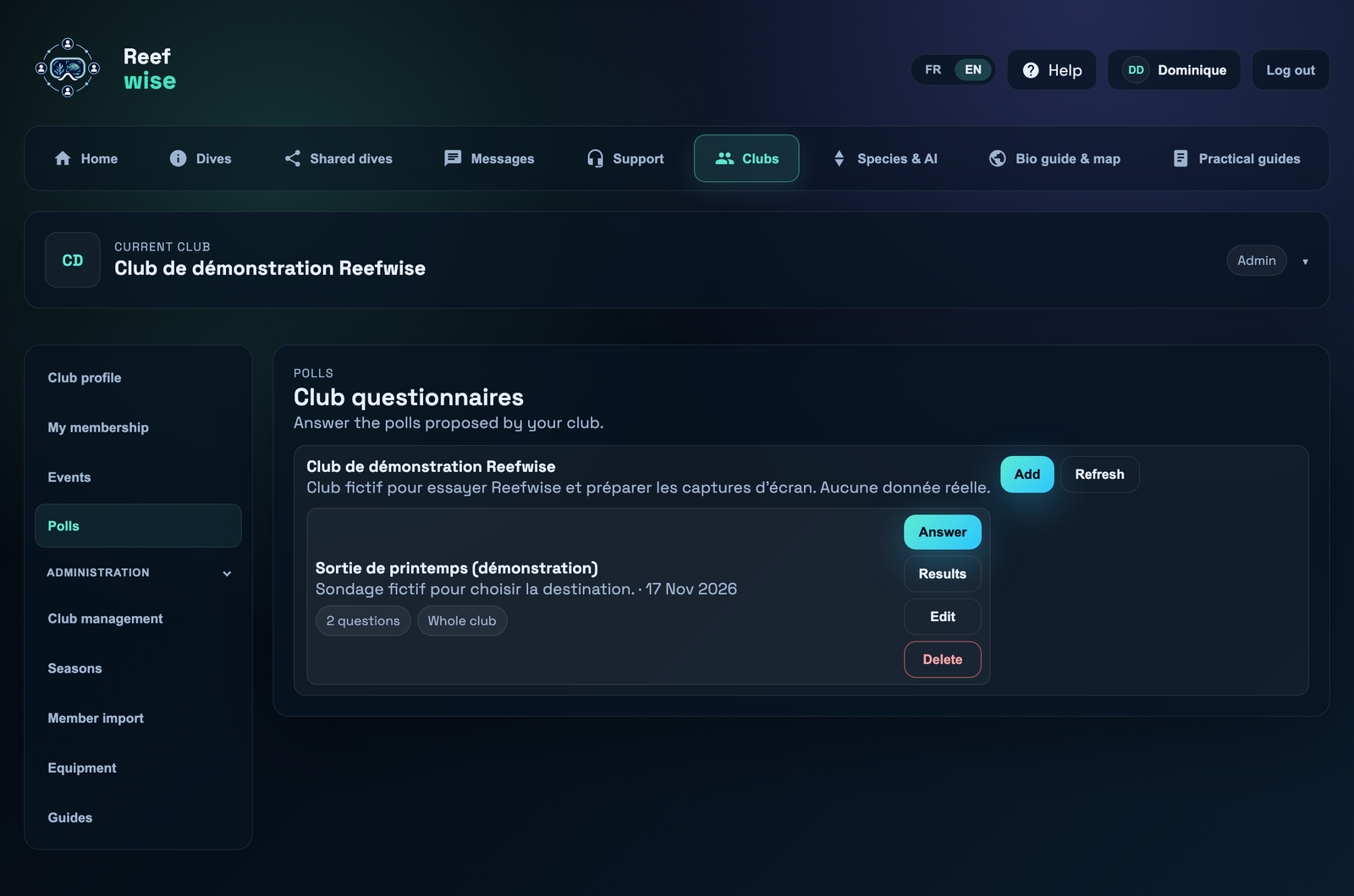
- Web space: Clubs, Polls tab, Answer button, then Send.
An answer that has been sent can no longer be changed: you can only read it again.
Club questionnaires with the answer button
If the registration is refused
| Message | Meaning |
|---|---|
| “Registration is reserved for members of the club's active season.” | You follow the club without being a member for the season. |
| “This event does not belong to your active season.” | The event is from another season. |
| “This activity does not match your level.” | Choose another activity of the course. |
| “Registration not required” | The event is open without registration. |
Good to know
- Adding to the calendar and reminders only exist on the iPhone.
- The photos of an event are visible to the people registered and to the club managers.
- On the iPhone, some headings of the events screen stay in French whatever the language of the phone.
Going further
After the outing, share your dive with the club: see “Share a dive”.