
 Reefwise
Help
Share a dive
Share a dive with your club or make it public, know exactly what others see, and comment on shared dives.
What it is for
By default, a dive is visible only to you. You then choose, dive by dive, to show it to your clubs, to everyone, or to both.
Before you start
- A synced dive (see “Add a dive session”).
- To share with a club or see its shared dives: the club must have accepted your follow (an accepted membership or an invitation code validates it too). A pending, refused or withdrawn follow request is not enough.
What others see
| Your club | Everyone (public dive) | |
|---|---|---|
| Title, date, duration, depth | Yes | Yes |
| Photos and species | Yes | Yes |
| Place name | Yes | Yes |
| Position | Exact, with the track | Approximate, within about 8 km |
| Buddy names | Yes | No |
| Heart rate and health data | Only if you allow it | Never |
| Your username | Yes | Yes |
The place name is published as you wrote it. If a site has to stay discreet, give it a general name before making the dive public.
Share with your clubs (web space)
- Open the dive, then click Share.
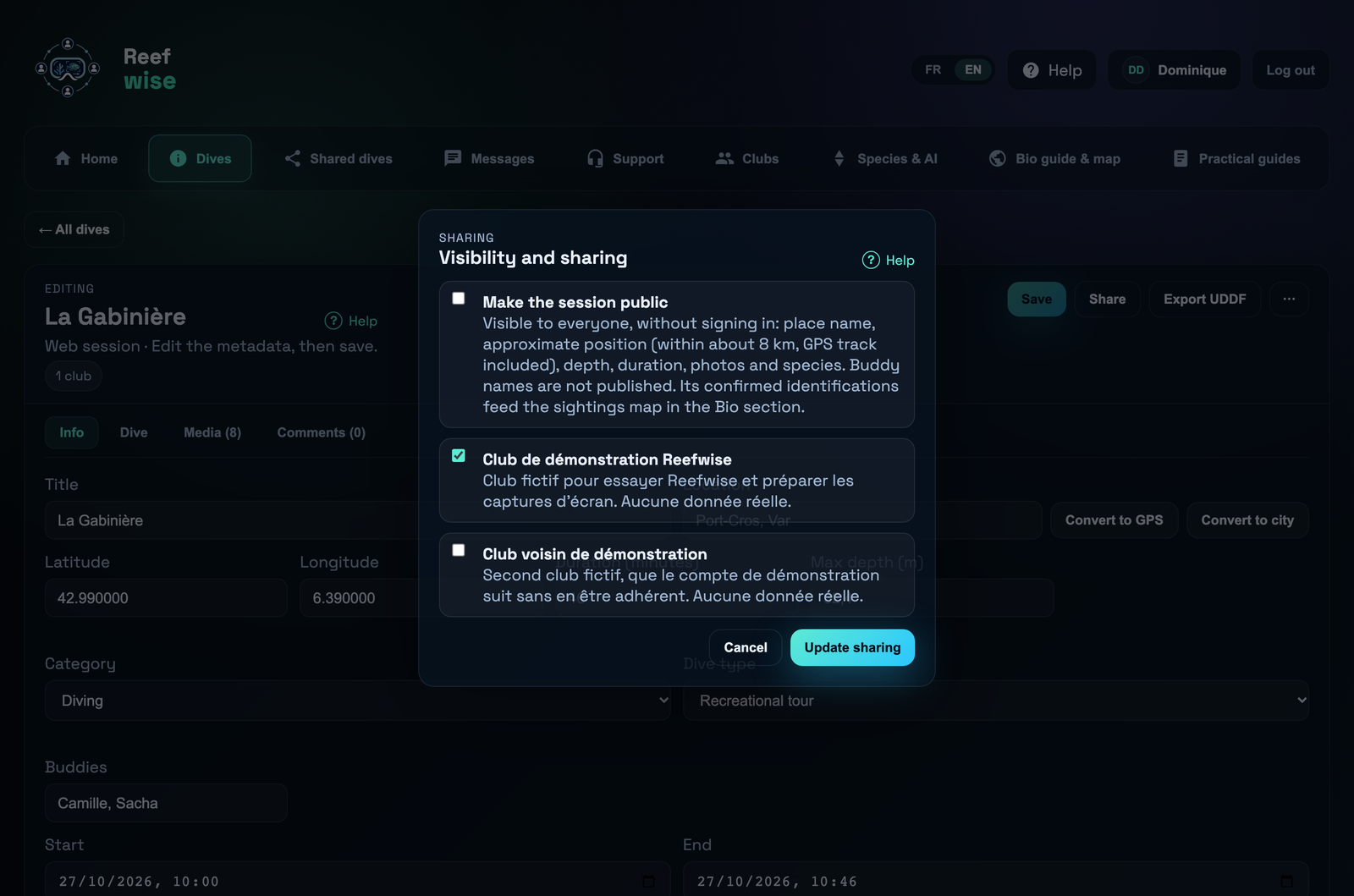
- Tick the clubs to share it with.
- If the dive holds health measurements, tick Share health data or leave it unticked.
- Click Update sharing.
Clubs can only be chosen in the web space. On the iPhone, the dive detail only shows which clubs it is shared with.
Visibility and sharing window of a dive
Make a dive public
- Web space: in the Share window, tick Make the session public, then Update sharing.
- iPhone: in the dive detail, turn on Public session. The change takes effect at the next sync.
A public dive appears on the Reefwise public site, and its validated species feed the sightings map. To go back, untick the box: the dive becomes private again.
See shared dives
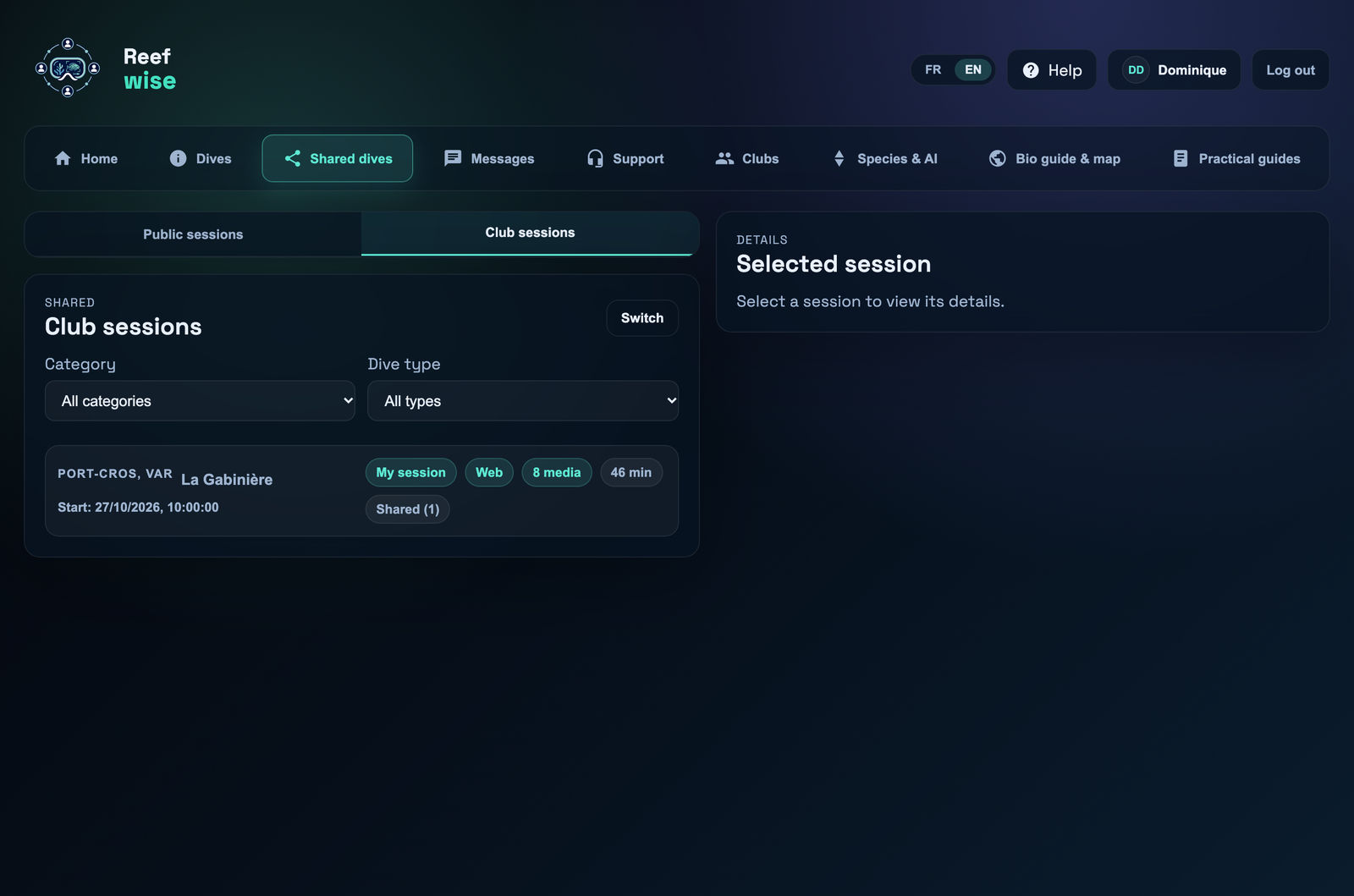
- iPhone: menu Shared Sessions, with the sections Public sessions and Club sessions.
- Web space: Shared dives in the menu.
Under a shared dive, you can react to a photo and write a comment. Before you Post, choose its Visibility: Owner (only they read it), Clubs or Public.
Dives shared with the club
Good to know
- The badge of the dive shows its state: “Not shared”, “n club(s)” or “Public”.
- Health data is never published, even when the dive is public.
- Public photos are served without their shooting information.
- A public MP4 or MOV video is served without its position: location information is erased, along with every track other than picture and sound (GPS telemetry of GoPro cameras, subtitles, chapters, timecode). Your original file is not changed. A video in another format (WebM, AVI…) or that cannot be cleaned is not published; only its thumbnail is.
Going further
To remove all your data, see “Manage your account and your data”.