 Reefwise
Help
Create an account
Create your Reefwise account on the iPhone or in the web space, and understand what guest mode allows.
What it is for
An account keeps your dives on the server and gives them back to you on all your devices. You need one to sync your sessions, run the AI analysis of your photos and join a club.
Before you start
- An email address and a username of your choice.
- A password of at least 8 characters.
- The account is the same on the iPhone and in the web space: create it only once.
On the iPhone
- Open Reefwise. On the sign-in screen, tap Create an account.
- Fill in Username, Email, Password and Confirm password.
- Tap Create my account. The button stays greyed out until the four fields are filled in.
- You are signed in right away: there is no confirmation email to validate.
- The app then offers to review the permissions (camera, photos, location). Allow the camera and the photos if you plan to film or take pictures during your dives.
You can also use Continue with Apple or Continue with Google when these buttons are shown.
In the web space
- On the sign-in page, click Sign up (after “No account yet?”).
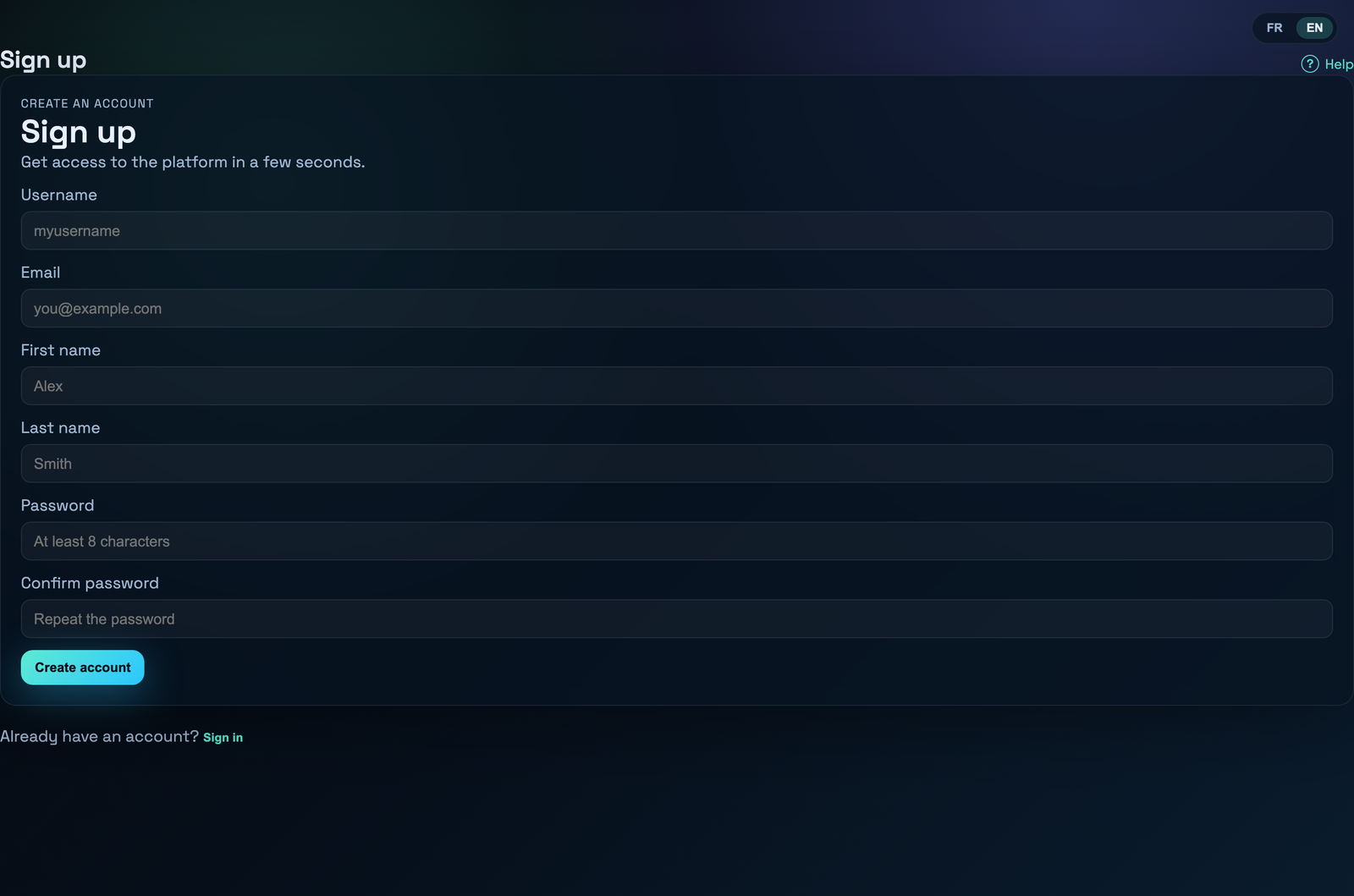
- Fill in Username, Email, Password and Confirm password. First name and Last name are optional.
- Click Create account. The message “Account created!” appears and you are signed in.
Sign-up form of the web space
If an error message appears
| Message | What to do |
|---|---|
| “This username is already taken.” | Choose another username. |
| “This email address is already used.” | You probably already have an account: tap I already have an account, then Forgot password? if needed. |
| “The password must be at least 8 characters long.” | Use a longer password. |
| “The passwords do not match.” | Type the confirmation again. |
Good to know: guest mode
On the iPhone, Continue as Guest lets you try the app without an account. Your sessions stay on the device: no sync, no AI analysis of the photos after the dive, no club features. You can leave guest mode from the settings, with Exit Guest Mode, then create an account.
Going further
Your account is ready: record or import a first dive with the page “Add a dive session”.